Relative & Anchor Positioning
Components can be placed relatively to each other in Marmot.
When components are relative, the pos still works as expected, adding the pos onto the relative position.
Example:
class TestUI : MarmotUI("test_ui") { fun new() { group("test_group") { val text1 = text("test_text") { text = "Hello World" anchor = Anchor.CENTER_CENTER // horizontal_vertical } val text2 = text("test_text_2") { text = "Test text" } rightOf text1 } }}The result:

Component-relative Positioning
Section titled “Component-relative Positioning”As of client 1.2.14, component-relative positioning works as expected:
Example:
group("group") { val background = box("background") { anchor = Anchor.CENTER_CENTER color = UIColor(0, 0, 0) opacity = 1f size = Vec2(300f, 150f) } text("test") { anchor = Anchor.BOTTOM_LEFT color = UIColor(255, 255, 255) text = "Test" } relative background}✅ Produces:
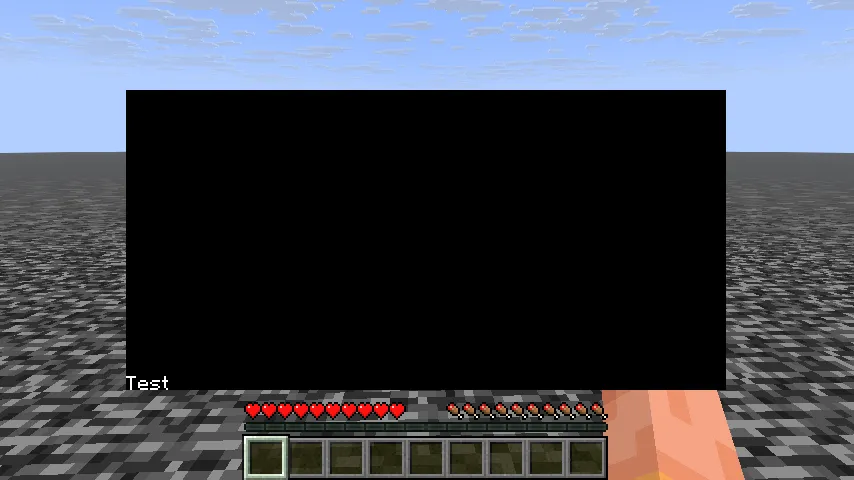
❌ Before 1.2.14:
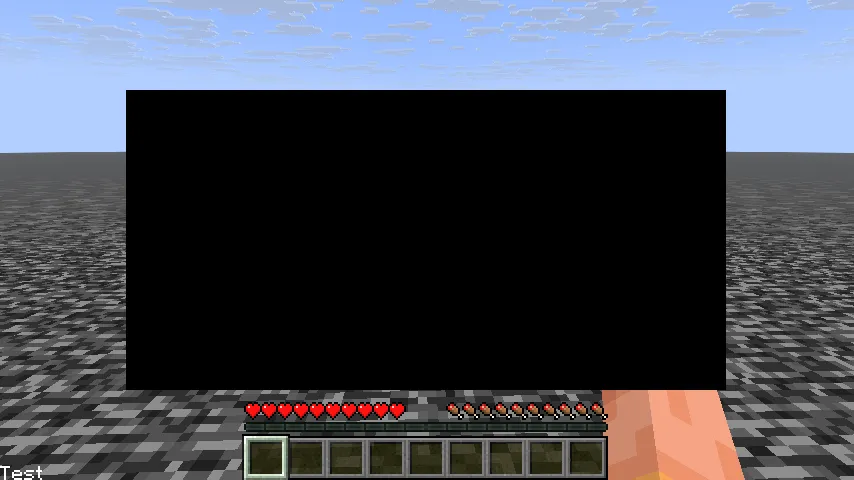
You can also give any component padding, and text components background and text color:
class TestUI : MarmotUI("test_ui") {  fun new() {    group("test_group") {      val text1 = text("test_text") {        text = "Hello World"        anchor = Anchor.CENTER_CENTER // horizontal_vertical      }      val text2 = text("test_text_2") {        text = "Test text"        /*          You can control the padding more strictly.          For example:          padding = Spacing(x = 5f) // applies 5 pixels of padding on the left and right          padding = Spacing(left = 5f, right = 5f) // works the same as x = 5
          padding = Spacing(y = 5f) // applies 5 pixels of padding on the top and bottom          padding = Spacing(top = 5f, bottom = 5f) // works the same as y = 5        */        padding = Spacing(5f) // applies 5 pixels of padding on every axis
        backgroundColor = UIColor(255, 255, 255)        color = UIColor(0, 0, 0)      } rightOf text1    }  }}