Sprites
Sprites (textures)
Section titled “Sprites (textures)”In Marmot, sprites are very easy to add:
class TestUI : MarmotUI("test_ui") { fun new() { group("test_group") { val sprite = sprite("test_sprite") { texturePath = "textures/block/dirt.png" } } }}The result:
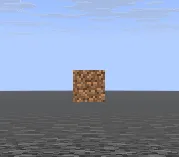
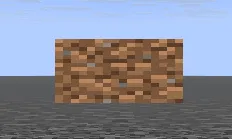
The size on the X and Y can also be controlled, stretching the image unless you scale by the same value on both axes:
val sprite = sprite("test_sprite") { texturePath = "textures/block/dirt.png" size = Vec2(64f, 32f)}The result:
val sprite = sprite("test_sprite") { texturePath = "textures/block/dirt.png" size = Vec2(64f, 64f)}The result: